Train Director - Pontremolese |
- Simulations Directory
 English -
 Italiano
Simulation: Pontremolese
 Published on 26/10/15
 Download the simulation (1 MB)
 Author: Paolo Gronchi
 184 trains 15 stations
 Train Director Version: 3.9.14
 More info on Wikipedia
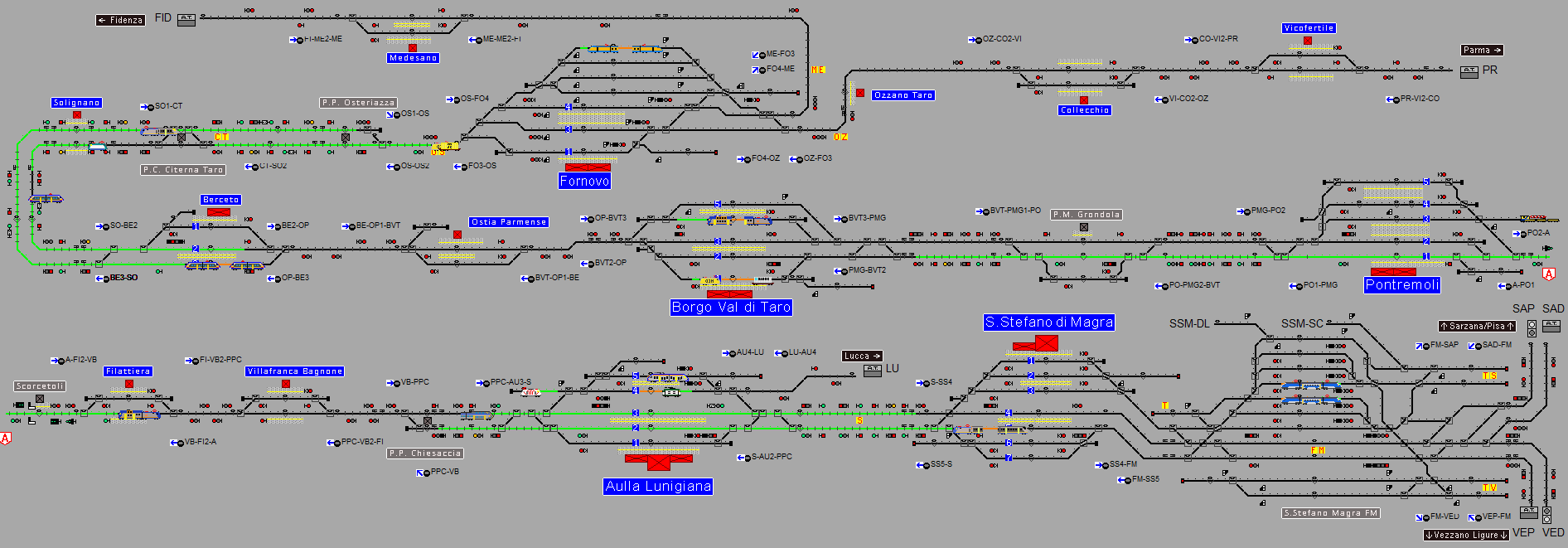
This simulation covers the historical line that crosses the Apennines Mountains between Parma and La Spezia, also known as "Pontremolese".
The following lines are at least partially covered by the simulation:
This simulation is designed for all types of players, even those without prior experience with the game, because the complexity level is medium, yet sufficient to allow gameplay at 3x or even 5x speed. In this scenario, the possible complexities offered by the game are still present: more than one railway operator, a mix of diesel and electric lines, a prevalence of single-track lines with crossings and crossovers, and intense freight train traffic (including associated shunting maneuvers), as well as freight yards where shunting, cuts, fusions, etc. also occur, with separate movements for the electrified tracks and the diesel ones.
IMPORTANT
This simulation organizes icon files into subfolders within the main directory. To make these subfolders accessible to Train Director, you must add the path for each folder in the program settings, under the "Environment" page, in the "Signal directories" field.
In this specific scenario (and others by Paolo Gronchi), you need to enter the following three folders into the environment field (the full path is not required for icon folders; the folder name is sufficient):
resources;trainresources;localresources;other folders...
Please remember that the semicolon character ; is used to separate the different folder names.
Moreover, it is mandatory to uncompress the .zip file and play the scenario opening the .trk file in the uncompressed folder.